Editing videos on iOS has always been a bit of a challenge. While Android users enjoy a wide range of free, feature-rich video editors on the Play Store, iPhone and iPad users often find themselves stuck between expensive subscriptions, limited free versions, or apps that slap heavy watermarks on their final videos.
For anyone looking to edit professionally on iOS, without paying a premium, this guide offers a complete solution to the Videoshop Video Editor App Download.
Whether you’re a content creator, student, vlogger, social media manager, or simply someone who enjoys crafting visually appealing videos, this method gives you everything you need to produce polished, engaging content. No subscription fees. No forced upgrades. No jailbreaking. Just smart use of two powerful tools.
Let’s find, why Videoshop is a great editor, what makes 3uTools so essential, and how to set them up together.
How Many iOS Users Face Video Editing Problems?
In 2023, an estimated 310 million iOS users globally used mobile video editing tools, either for content creation, professional use, or personal projects. That made up nearly 27% of the global mobile video editing app market, showing just how large the iOS editing user base has become.
Despite this, the experience isn’t always smooth. Over 950 million mobile-based video editing projects were processed last year, and a troubling 32% of users faced issues such as:
- App crashes during editing
- Lag or freezing, even on newer iPhones
- Export failures or unsaved projects
- Sync problems, particularly on devices with less than 4 GB of RAM
Real-world user experiences back this up. On Reddit, one user running iOS 18.1.1 on an iPhone 15 Pro reported severe lag in CapCut, just from trimming a short 15-second video with no effects. Another, using InShot on iOS 17.5.1, said the app froze completely when trying to save even modest-length clips, despite having ample storage available.
These problems are widespread and not just limited to older devices. Even users with top-tier hardware and updated operating systems frequently encounter editing glitches, especially when using free or consumer-grade apps.
What Videoshop Does
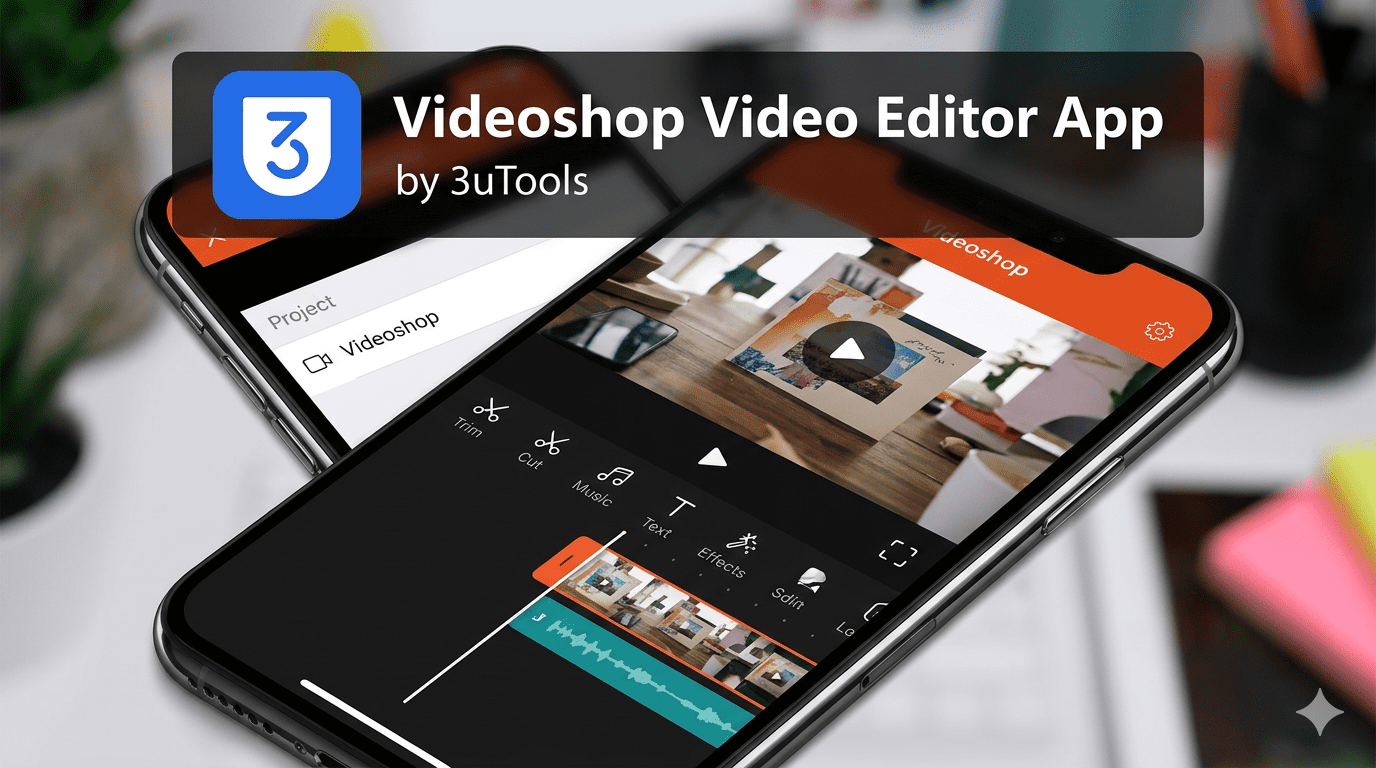
Videoshop is designed for mobile video editing without the complexity of desktop software. The core feature set includes clip trimming and merging, slow motion and time lapse adjustments, sound effects and music addition, stop motion creation, animated titles, and direct export to social platforms.
The free version covers basic editing needs. Videoshop Pro adds access to the full feature library and removes limitations on exports. A 7-day free trial is available before committing to a monthly or lifetime subscription, which gives users enough time to evaluate whether the Pro features match their workflow.
The application is well suited to users who want more control than the built-in iOS Photos editor provides but do not need the complexity of a full desktop editing suite.
Installing Videoshop on iPhone
Installation follows the standard App Store process. Open the App Store on your iPhone, search for Videoshop, and tap Get to download the free version. Sign in with your Apple ID if prompted. The app will install directly to your home screen and is ready to use immediately after download.
To access Pro features, open the app and navigate to the subscription section. The 7-day free trial activates automatically when you select a plan, and no charge is applied until the trial period ends. Subscription management, including cancellation, is handled through your Apple ID settings under Subscriptions.
Why Storage Management Matters for Video Editors
Video files are among the largest files an iPhone stores. A single minute of 4K footage recorded at 60 frames per second can exceed 400 MB. Users who edit regularly accumulate large amounts of raw footage, project files, exported drafts, and app cache that take up significant storage space over time.
When storage fills up, performance is affected across the device, not just within the editing app. iOS begins to struggle with background processes, app loading times increase, and editing applications may slow down or crash during export. Managing storage proactively keeps the device running well and reduces the chance of losing work mid-project.
Using 3uTools to Manage Video Files and Storage
3uTools is a desktop application for Windows and Mac that connects to an iPhone via USB and provides file management, storage diagnostics, and backup tools that go beyond what Finder and iTunes offer. For users who edit video regularly, it addresses several practical storage and transfer problems.
Transferring Large Video Files
Moving large video files from an iPhone to a computer through iTunes or AirDrop is slow and sometimes unreliable for files above a certain size. 3uTools provides direct file transfer over USB without syncing, which is faster and more consistent for large files. Raw footage, exported edits, and project files can be moved to the computer for archiving or further editing without compression or format changes.
Viewing Storage Breakdown
Once an iPhone is connected, 3uTools displays a detailed breakdown of how storage is being used across the device. This includes video files, photos, app data, cached content, and system files. For video editors trying to understand why their storage is filling up quickly, this breakdown is more informative than the summary view available in iOS settings.
Clearing Accumulated Cache
The Garbage Cleaner tool in 3uTools removes cached data, junk files, and leftover data from deleted applications. Video editing apps accumulate cache from preview renders, temporary exports, and project thumbnails. Clearing this regularly frees up storage without deleting actual project files or footage.
Selective Backup Before Major Edits
Before starting a large editing project or updating the app, backing up specific files through 3uTools reduces the risk of losing work. Unlike a full iTunes backup, 3uTools allows selective backup of video files, photos, and app data independently. This makes the process faster and keeps a reliable copy of important footage on the computer.
Hardware Diagnostics
3uTools also surfaces hardware information that is relevant to editing performance. Battery health, CPU activity, and storage status are visible from the main dashboard. If an iPhone is struggling during video export, these diagnostics can help identify whether the issue is storage-related, a battery performance limitation, or something else that might need attention.
Who Benefits Most from This Combination
Casual editors who use Videoshop for occasional clips will find the App Store installation process sufficient and may not need additional storage management tools unless their device storage is limited.
Regular creators who produce video content consistently will benefit from the file transfer and storage management features in 3uTools. Keeping raw footage archived on a computer rather than stored on the device frees up space for new projects without requiring a larger storage plan.
Users with older iPhone models where storage and processing power are more constrained will see the most noticeable improvement from regular cache clearing and storage management through 3uTools.
Conclusion
Videoshop is a capable mobile editing application that works well for users who want more than basic trimming but do not need a full desktop editing workflow. It is available through the App Store with a free tier and a Pro subscription for access to the complete feature set.
For users who edit video regularly, pairing Videoshop with 3uTools for storage management, file transfer, and device diagnostics keeps the iPhone running well and reduces the friction of moving large files between devices. The two tools address different parts of the video editing workflow and work well alongside each other.
Frequently Asked Questions
Is Videoshop free to use?
Videoshop is available as a free download on the App Store with a standard feature set. Videoshop Pro unlocks additional features through a monthly or lifetime subscription. A 7-day free trial is available before any charge is applied.
Where can I download Videoshop?
Videoshop is available on the Apple App Store. Search for Videoshop and download it directly to your iPhone. There is no desktop version of the application.
How do I manage storage for large video projects on iPhone?
3uTools provides direct file transfer over USB, a detailed storage breakdown by category, and a cache cleaning tool. These features help keep storage available on the device without deleting footage. Raw files and exports can be archived to a computer through 3uTools faster and more reliably than through iTunes or AirDrop.
Will clearing cache through 3uTools delete my Videoshop projects?
The Garbage Cleaner in 3uTools removes temporary files, cached previews, and junk data rather than app project files or saved footage. It is still advisable to back up important files before running any cleaning operation.
Does 3uTools work with Mac as well as Windows?
Yes. 3uTools is available for both Windows and macOS. The Mac version supports the same core file transfer, storage management, and diagnostics features relevant to video editing workflows.
Is Videoshop suitable for professional video editing?
Videoshop is designed for mobile editing and covers a wide range of everyday editing needs. For complex multi-track editing, color grading, or professional export workflows, dedicated desktop software would be more appropriate. For social media content, short-form video, and personal projects, Videoshop’s feature set is well suited to the task.