
Many iPhone users spend significant time every month struggling with iTunes just to perform basic tasks. The problems are real and widespread. iTunes crashes during syncing, error messages appear without clear solutions, simple file transfers take far longer than they should, and users lose data because backup processes fail without warning.
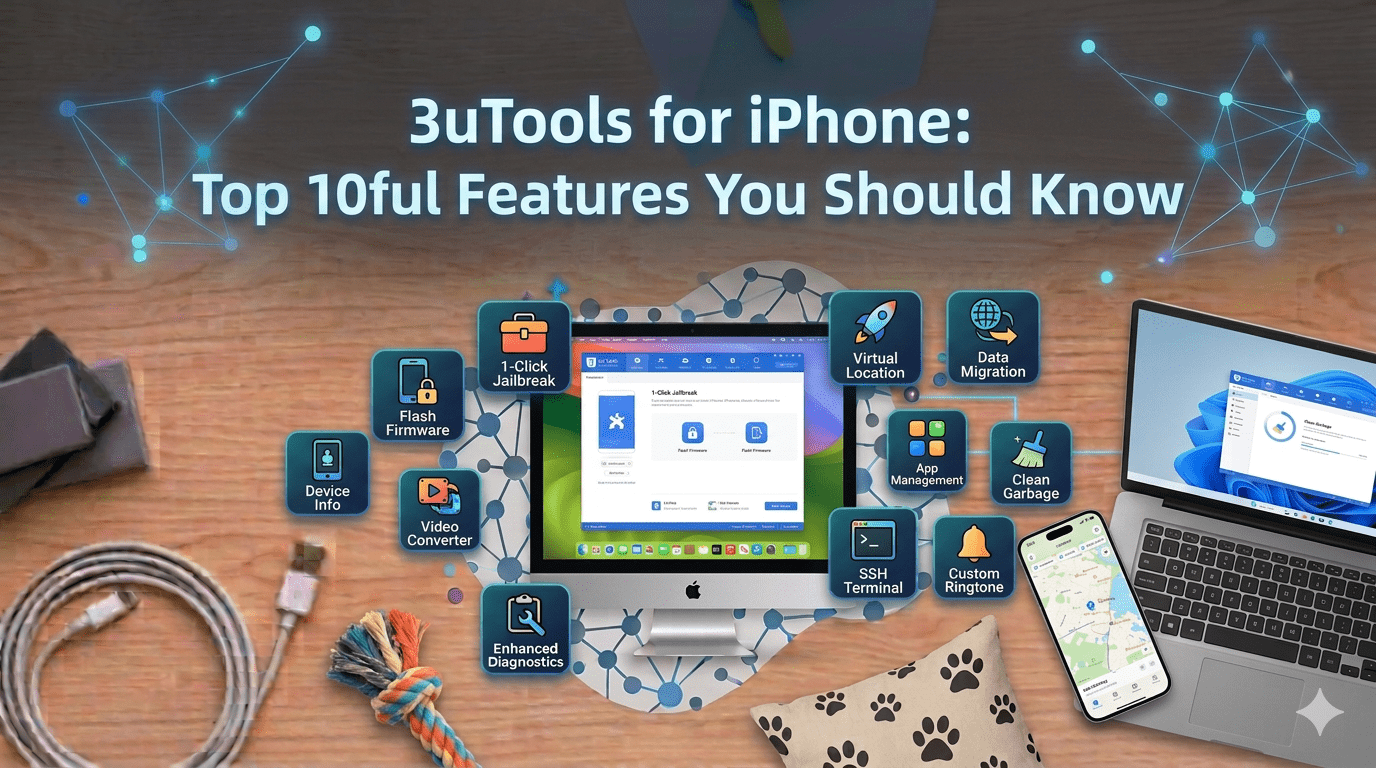
This is where 3uTools comes in. Millions of iOS users worldwide have switched to this all-in-one management tool that actually works the way you would expect. Whether you are using an iPhone, iPad, or iPod Touch, 3uTools handles everything from basic file management to advanced operations like firmware flashing, all through a clean and intuitive interface.
Let’s explore the ten most powerful features that explain why so many users have made 3uTools their permanent iTunes replacement.
1. iOS Flashing with One Click
Flashing means installing a fresh copy of iOS on your device. When your iPhone starts behaving unexpectedly, apps crash constantly, or it gets stuck on the Apple logo, flashing often provides the solution that actually works.
Traditional methods carry risks and require technical knowledge. 3uTools eliminates both problems with its One Click Flash feature that automates the entire process safely. Connect your iPhone to your computer, navigate to the Flash section in 3uTools, and click the flash button. The software automatically detects your device model, downloads the appropriate iOS version, and completes the installation without requiring you to understand the technical details.
You get options that iTunes never provides. Want to install the latest iOS? Done. Prefer staying on an older version because it runs better on your device? That works too. 3uTools gives you the freedom to choose what works best for your situation. The process takes about 10 to 15 minutes depending on your internet speed and device model.
2. Full Backup and Restore Capabilities
Losing your iPhone data is one of the most stressful tech experiences anyone can face. Years of photos, important contacts, and precious messages can disappear in an instant. Yet many people avoid backing up regularly because iCloud limits free storage to just 5GB and charges monthly fees for anything beyond that.
3uTools solves this problem by letting you create unlimited backups directly to your computer. No storage restrictions, no monthly fees, and complete control over your data. The backup interface is straightforward. Select whether you want a complete backup or choose specific categories like photos and contacts, then click backup and wait while 3uTools creates a secure copy.
Restoration works just as smoothly. Got a new iPhone? Need to recover deleted files? Open 3uTools, select your backup file, and choose what you want to restore. You can bring back everything or pick specific items. This flexibility means you are never forced into an all-or-nothing situation like iTunes often creates.
3. Real-Time Device Monitoring
Understanding what is happening inside your iPhone helps you catch problems before they become serious. Battery draining too fast? Apps running slowly? Storage mysteriously filling up? 3uTools provides real-time monitoring that answers these questions with actual data.
The battery health monitor shows your battery’s actual capacity compared to when it was new, tracks how many charge cycles it has been through, and indicates whether replacement time is approaching. Beyond battery monitoring, you can see live CPU usage, memory consumption, and storage breakdowns. If your iPhone feels sluggish, these monitors help identify the cause.
The interface presents everything in easy-to-understand graphs and charts. Temperature readings, memory pressure, and storage categories are all displayed clearly so you can make informed decisions about your device’s health. Regular monitoring helps you maintain performance over time and extend your device’s useful life.
4. Efficient Application Management
Managing apps across your iPhone through iTunes involves constant Apple ID prompts and slow navigation. 3uTools streamlines this entire experience with a dedicated app management interface that shows all your installed apps at a glance.
You can check which apps need updates, see how much storage each one uses, and manage everything from one convenient screen. It is faster and more intuitive than navigating through multiple App Store menus. This becomes especially useful when setting up a new device or managing updates across multiple iPhones and iPads.
The interface also makes bulk operations simple. Instead of updating apps one at a time, you can handle multiple updates in a single action, saving time and reducing the back-and-forth that iTunes users experience daily.
5. File Management Made Easy
Transferring files between your iPhone and computer should be simple. Instead, Apple’s iTunes forces you through a confusing sync system with arbitrary format restrictions and constant errors. 3uTools replaces that experience with file management that actually makes sense.
Music, photos, videos, documents, and e-books all transfer with simple drag-and-drop operations. Want to add songs to your iPhone? Drag the files from your computer into 3uTools and they appear on your device. Need to save photos from your iPhone? Select them and click export. No syncing libraries, no format conversions, no waiting for iTunes to figure out what you are trying to accomplish.
The file management system works like a regular file explorer. You browse through folders, organize files however you want, and move things around freely. This feature alone convinces many users to permanently switch from iTunes to 3uTools.
6. Custom Ringtone Maker
Standing in a crowded place and watching everyone reach for their phone when the default ringtone plays is a common experience. Custom ringtones solve this problem while adding personality to your device.
3uTools includes a built-in ringtone maker that converts any audio file into a ringtone. The process requires minimal effort. Import your audio file into 3uTools, use the trimming tool to select the exact portion you want, and convert it to the proper format. 3uTools handles all technical details automatically.
Once created, 3uTools transfers the ringtone directly to your iPhone with no syncing through iTunes required. You can make different ringtones for different contacts, create custom alert tones for messages, and set unique sounds for specific notifications. This feature is completely free with no subscriptions or limitations.
7. Photo and Video Toolbox
iPhone cameras keep improving, which means photo and video files keep getting larger. A single minute of 4K video can consume hundreds of megabytes. Without proper management, storage fills up quickly.
3uTools includes a photo and video toolbox that helps you manage media more efficiently. The photo compression feature reduces file sizes significantly without visible quality loss, meaning you can keep more photos on your device while using the same storage space.
HEIC to JPG conversion solves another common frustration. Apple’s newer devices save photos in HEIC format, which creates compatibility issues with Windows computers and many websites. 3uTools converts your HEIC photos to JPG format, ensuring universal compatibility with any device or platform. The video management tools work similarly, allowing you to compress large video files and convert them to different formats for better compatibility.
8. Firmware Downgrade Support
Sometimes a new iOS update creates more problems than it solves on older devices. Slowdowns, battery drain, and app compatibility issues are common complaints after major iOS updates. 3uTools addresses this by supporting firmware downgrades on compatible devices.
For devices with SHSH file backups, 3uTools allows you to revert to a previous iOS version. The software’s Query SHSH function checks which firmware versions your specific device supports, eliminating guesswork and helping you make informed decisions before proceeding.
This feature is especially valuable for users with older iPhones who find that newer iOS versions reduce their device’s performance. Having the ability to go back to a version that worked well gives you more control over your own hardware.
9. Multiple Device Management
Managing several iPhones or iPads individually is time-consuming. 3uTools solves this with its Multiple Flash feature that allows you to process several devices simultaneously.
Connect multiple iOS devices to your computer via USB and 3uTools automatically detects each one. You can flash different firmware versions to different devices at the same time, or apply the same firmware to multiple identical devices. Each USB port operates independently, so one device’s progress does not affect the others.
This feature includes Auto-activate after connection and Retain User Data While Flashing options, making it ideal for repair technicians, IT professionals managing company devices, and families with multiple iPhones. Instead of spending hours processing devices one by one, you handle them all at once.
10. Fast Flash Mode and Retain Data Mode
When flashing your iPhone, having options matters. Different situations call for different approaches, and 3uTools provides two main flashing modes that serve distinct purposes.
Fast Flash Mode erases everything on your device and installs a completely clean copy of iOS. This works best when you are having serious software problems, preparing your device for sale, or simply want a completely fresh start. The process thoroughly removes any corrupt files or problematic settings.
Retain Data Mode takes a different approach by reinstalling iOS while keeping your personal data intact. Your photos, messages, contacts, and apps remain on your device after the flash completes. This option is valuable when you are experiencing software glitches but do not have a recent backup, or when you want to refresh your iOS installation without the hassle of restoring everything afterward. This flexibility is something iTunes simply does not offer.
Why 3uTools Is Worth Using
Tasks that take several minutes in iTunes often complete in seconds with 3uTools. File transfers that fail repeatedly in iTunes typically work on the first try. Features that require complex workarounds in iTunes are straightforward one-click operations here.
The software gives you genuine control over your device. You are not constantly pushed toward cloud subscriptions or blocked from performing operations on hardware you own. Whether you are a casual user who wants easier file management or a power user looking for advanced features like firmware flashing and device monitoring, 3uTools delivers a practical and reliable experience.
Getting Started with 3uTools
Getting started with 3uTools costs nothing and takes less than 10 minutes. The software works on both Windows and Mac computers and supports a wide range of operating system versions. The installation process is straightforward with no complicated configuration required. Once set up, you have immediate access to all the features discussed above.
Conclusion
Managing your iPhone or iPad should not require endless patience for software that does not work properly. 3uTools proves that device management can be simple, powerful, and efficient.
From basic tasks like transferring photos and managing apps to advanced operations like flashing firmware and monitoring device health, 3uTools provides everything you need in one package. The software receives regular updates, ensuring it stays current with the latest iOS versions and devices, and you can use all of it completely free with no trial periods or feature limitations.
FAQs
1. Is 3uTools really free to use?
Yes, 3uTools is completely free. You can download and use all features without any subscription fees, hidden costs, or premium tiers.
2. Will 3uTools work with my iPhone model?
3uTools supports virtually all iPhone and iPad models, from older devices to the latest releases. As long as your device runs iOS, 3uTools can manage it.
3. Is it safe to use 3uTools instead of iTunes?
3uTools is a professional tool used by millions of iOS users worldwide. When downloaded from the official source and used with proper preparation, it performs reliably. Always create a backup before performing any flashing operation.
4. Do I need any technical knowledge to use 3uTools?
No. Most features are designed for everyday users with no technical background. The interface is clean and self-explanatory, and operations like flashing and backup creation are largely automated.
5. Can 3uTools help if my iPhone is stuck or not responding?
Yes. The flashing feature is specifically designed to address these situations. You can restore your iPhone to working condition even if it is stuck on the Apple logo or in a boot loop.