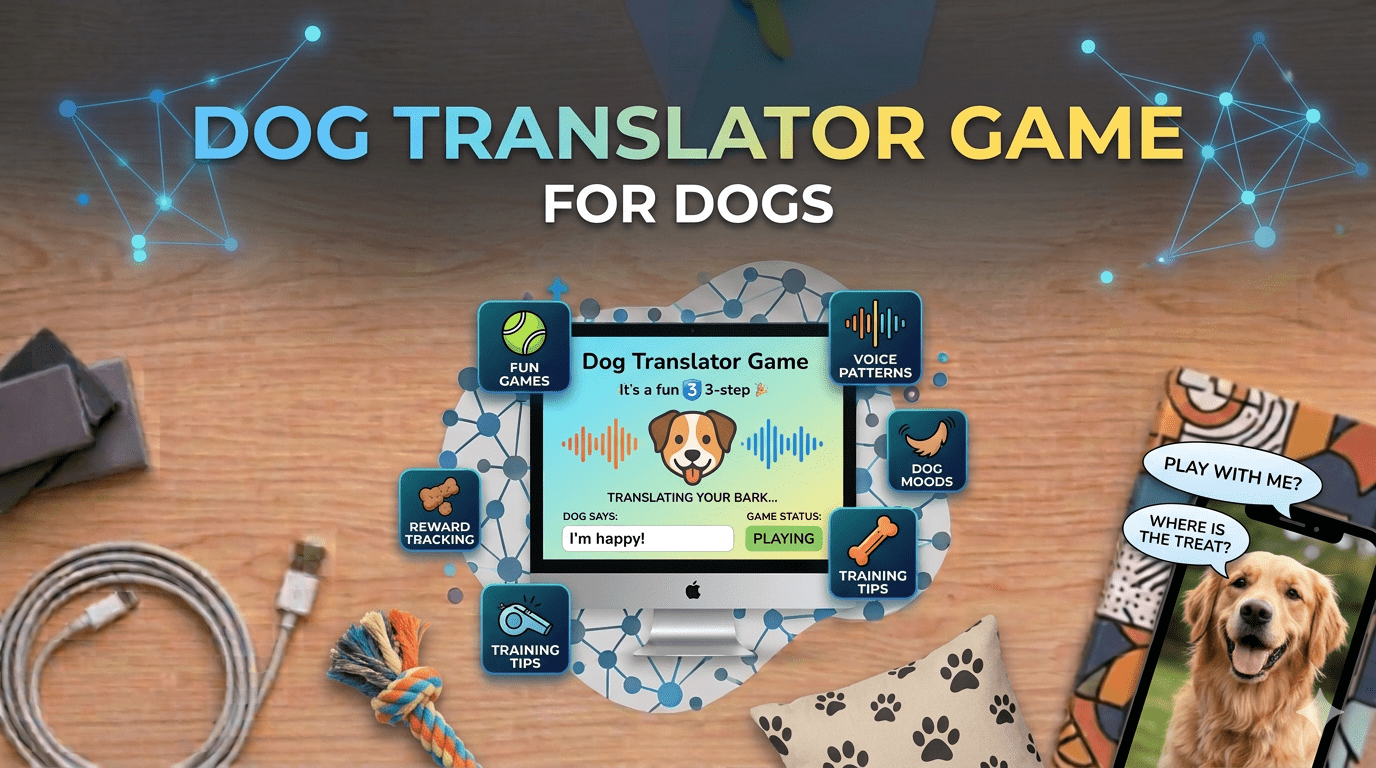
Ever wondered what your dog is really trying to tell you when they bark, whine, or tilt their head in that adorable confused way? Thousands of pet owners around the world have asked themselves the same question, and that curiosity has led to the rise of innovative apps like Dog Translator: Game For Dogs.
This app promises something that sounds almost magical: the ability to translate human speech into sounds your dog can understand, and even interpret what your dog’s barks might mean. It is a fun idea, and for many dog lovers, it feels like technology finally catching up with what we have always wanted, a real conversation with our four-legged friends.
What is Dog Translator: Game For Dogs?
Dog Translator: Game For Dogs is a mobile app designed for iPhone and iPad users that aims to bridge the communication gap between humans and dogs. The concept is simple: you speak into the app, and it converts your voice into dog-friendly sounds. You can also record your dog’s barks, and the app will attempt to interpret them in human-readable terms.
The app is developed by Dima Komar and requires iOS 10.0 or later to run smoothly. With a file size of 91.73 MB and support for multiple languages including English, French, German, and Spanish, it is designed to be accessible to pet owners around the world. Version 1.5.6 is the current release, optimized for modern iOS devices and running smoothly on both newer iPhones and older supported models.
Think of it as a playful experiment in pet communication. While it is not a scientifically verified translator, it offers an entertaining way to interact with your dog and perhaps strengthen the bond you share. The app has gained popularity among pet owners who are curious about their dog’s behavior and want a fun, interactive tool to explore it.
Understanding the App Specifications
Before downloading, it helps to review the technical details to ensure the app will work smoothly on your device. The app requires iOS 10.0 or later, making it compatible with a wide range of devices. Whether you are using a recent iPhone model or an older device, there is a good chance you can run it without issues.
The 91.73 MB file size is modest by today’s standards. Version 1.5.6 includes bug fixes, performance improvements, and feature enhancements based on user feedback. Multilingual support makes it accessible to international users who prefer to interact with apps in their native language.
The app is free to download and offers in-app purchases for additional features. You can explore all core functionality without spending anything, and only consider upgrading if you find the premium content useful.
How Do Dog Translator Apps Actually Work?
At first glance, a dog translator app sounds like science fiction. Dogs do not communicate through structured language the way humans do. They have no words, grammar, or sentences. So how does an app claim to translate barks or interpret human speech for dogs?
The answer lies in sound analysis and behavioral interpretation. The app uses your device’s microphone to capture audio, whether that is your voice or your dog’s bark. It then analyzes key characteristics of that sound including pitch, volume, tone, duration, and pattern. Based on these audio features, the app matches the sound to a pre-programmed set of meanings or responses.
For example, a high-pitched rapid bark might be interpreted as excitement or anxiety, while a low steady bark could suggest alertness. A prolonged whine might indicate a desire for attention. When you speak into the app, it processes your words and generates audio frequencies meant to capture your dog’s attention or mimic sounds they naturally recognize.
Voice recognition, sound pattern matching, and frequency analysis are all real technologies used across various industries, from music production to medical diagnostics. Modern smartphones have sensitive microphones and powerful processors capable of capturing and analyzing audio with impressive accuracy.
However, dog communication is more complex than sound alone. Dogs rely heavily on body language including tail position, ear movement, posture, and facial expressions. Their vocalizations can mean different things depending on context, environment, and individual personality. Research in animal behavior confirms that dogs produce different types of vocalizations for different situations, and experienced owners can often distinguish between them.
So while the app provides an engaging and enjoyable experience, it is best understood as an entertainment tool rather than a precise scientific instrument. Dog communication remains an evolving area of study, and the deepest understanding still comes from spending time with your pet and learning their individual habits and responses.
How to Download Dog Translator
The most straightforward way to get Dog Translator: Game For Dogs is through the Apple App Store. Open the App Store on your iPhone or iPad, search for Dog Translator Game For Dogs, and tap the download button. The app is free and installs directly to your device in a few minutes.
Alternatively, users who already have 3uTools installed on their Windows or Mac computer can find and install the app through 3uTools’ app library. Connect your device via USB, browse the app section, search for Dog Translator, and click install. 3uTools handles the rest automatically.
Step-by-Step Guide Using 3uTools
If you prefer using 3uTools, here is how the process works. First, download and install 3uTools on your computer from the official website. It supports Windows 7, 8, 10, and 11 as well as macOS. Run the installer and follow the on-screen steps.
Once installed, open 3uTools and connect your iPhone or iPad using a reliable USB cable. Make sure your device is unlocked and tap Trust This Computer if prompted. 3uTools will automatically detect your device and display key information including model, iOS version, and storage space.
Navigate to the app library section, search for Dog Translator: Game For Dogs, and click the install button. The app will download and install directly to your device. Once complete, the Dog Translator icon will appear on your home screen ready to use.
Starting to Use the App
Open Dog Translator on your device and take a moment to explore the interface. You will see options to record your voice, play pre-recorded dog sounds, and analyze your dog’s barks. The interface uses clear icons and straightforward instructions.
To translate your voice into dog-friendly sounds, tap the record button and speak into your phone. Try different tones and phrases to see what gets a reaction from your dog. Some dogs respond enthusiastically to new sounds, while others may show curiosity or indifference. Every dog is different, and their reaction depends on their personality, training history, and comfort level with new stimuli.
To analyze your dog’s barks, place your phone near your dog and let them vocalize naturally. The app will process the audio and display an interpretation. Keep in mind that these interpretations are based on general vocal pattern databases and may not perfectly reflect your individual dog’s communication style.
Why This App Appeals to Pet Owners
The appeal of Dog Translator goes beyond novelty. Many pet owners report that using the app has made them more attentive to their dog’s vocalizations and behavior. By actively listening and analyzing sounds, they develop a sharper awareness of patterns in how their dog communicates.
The app also works well as a bonding activity. Sitting with your dog, recording their sounds, and observing their reactions to different audio creates an interactive experience that both owner and pet can engage with. For families with children, it offers an educational and entertaining way to explore animal behavior together.
While the science of precise dog-to-human translation is still developing, apps like this contribute to a broader cultural interest in understanding animals more deeply. They encourage observation, curiosity, and a more thoughtful approach to the relationship between pets and their owners.
About 3uTools as a Device Management Tool
For users who discovered this app through 3uTools, it is worth knowing what else the software offers. 3uTools is a device management platform for iPhone and iPad that runs on Windows and Mac computers. It provides features including full device backup and restore, file transfer between your device and computer, real-time battery and performance monitoring, photo and video management, and firmware flashing for iOS updates or repairs.
These tools are designed to complement the standard features available through iTunes and iCloud, offering an alternative workflow for users who prefer managing their devices through a desktop application. 3uTools is free to download and use, with no subscription fees required.
Final Thoughts
Technology is constantly finding new ways to bring us closer to the animals we love. While apps like Dog Translator: Game For Dogs may not offer scientifically verified translations, they represent an entertaining and thoughtful exploration of human-animal communication.
Use the app as what it genuinely is: a fun, curious tool that encourages you to pay closer attention to your dog’s behavior and vocalizations. The experience is lighthearted, the installation is simple, and for dog lovers of any age, it is well worth trying.
FAQs
1. How do I download Dog Translator for free?
You can download Dog Translator: Game For Dogs directly from the Apple App Store on your iPhone or iPad, or through 3uTools on your computer by connecting your device via USB and browsing the app library.
2. Is 3uTools safe to use?
3uTools is a widely used device management application. As with any third-party software, it is best to download it from the official website and use it as intended for backup, file management, and app installation tasks.
3. Do I need to pay for 3uTools?
No. 3uTools is free to download and use with no subscription fees or hidden costs.
4. Can I use 3uTools on Mac?
Yes. 3uTools is available for both Windows and Mac computers, making it accessible to all iPhone and iPad users regardless of their operating system.
5. Does the dog translator really work?
The app works as an entertaining tool that analyzes sound patterns and provides interpretations based on general vocal databases. Results should be treated as fun observations rather than precise scientific translations.
6. What other apps can I find through 3uTools?
3uTools maintains a large app library covering categories including productivity, entertainment, health, fitness, and games. You can browse and install apps directly to your connected device.
7. Do I need an internet connection to use the app?
Most core features work offline once the app is installed. Some functions such as updates or premium content may require an active internet connection.
8. Will my dog actually understand the sounds?
Dogs may react to certain frequencies out of curiosity or recognition, but whether they understand the sounds in the way the app suggests is scientifically uncertain. Reactions vary significantly between individual dogs.
9. Is the app safe for my dog’s hearing?
The app uses frequencies within a normal range, but it is always sensible to monitor the volume level and watch your dog’s comfort level when playing sounds near them.
10. What makes 3uTools a useful companion for iPhone management?
3uTools offers a range of device management features including backup creation, file transfer, performance monitoring, and app installation, all from a single desktop application without requiring an iCloud subscription.