
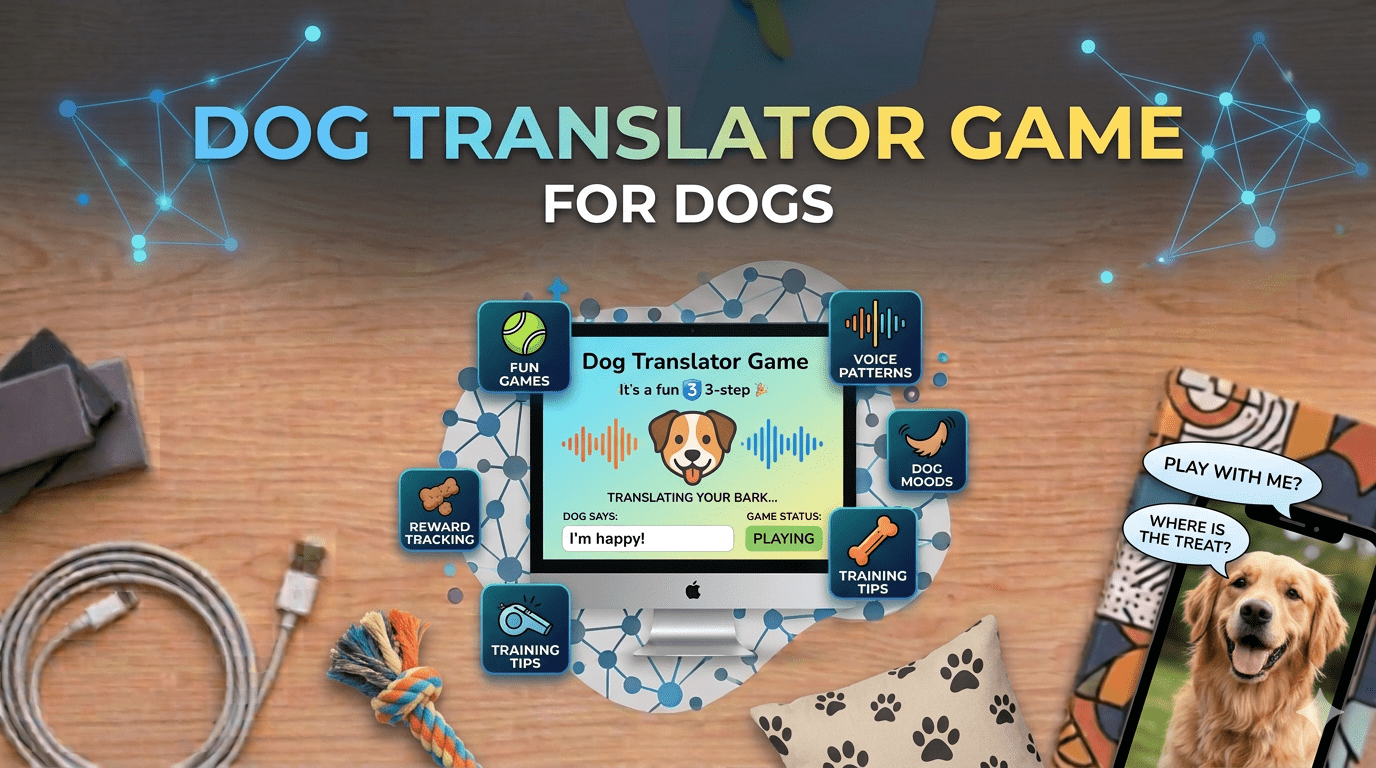
Ever wondered what your dog is really trying to tell you when they bark, whine, or tilt their head in that adorable confused way?
I guess every pet owner wants to understand this. Thousands of pet owners around the world have asked themselves the same question, and that curiosity has led to the rise of innovative apps like “Dog Translator: Game For Dogs.”
This app promises something that sounds almost magical, the ability to translate human speech into sounds your dog can understand, and even interpret what your dog’s barks might mean.
It’s a fun idea, and for many dog lovers, it feels like technology finally catching up with what we’ve always wanted: a real conversation with our four-legged friends.
The good news is that you can download Dog Translator: Game For Dogs app free for iPhone and iPad from 3uTools app store.
If you’re tired of dealing with App Store restrictions or simply want a faster, more convenient way to get your favorite apps, 3uTools is the solution you’ve been looking for.
But before we go into detailed guide of Dog Translator Game For Dogs And how to download it, let’s explore what makes this app so popular and whether it’s worth your time.
Table of Contents
What is Dog Translator: Game For Dogs?
Before we get into the download process, let’s start with the basics. “Dog Translator: Game For Dogs” is a mobile app designed for iPhone and iPad users that claims to bridge the communication gap between humans and dogs.
The idea is simple: you speak into the app, and it converts your voice into dog-friendly sounds. You can also record your dog’s barks, and the app will attempt to translate them into human language.
The app is developed by Dima Komar and requires iOS 10.0 or later to run smoothly. With a file size of 91.73 MB and support for multiple languages including English, French, German, and Spanish, it’s designed to be accessible to pet owners around the world.
The current version, 1.5.6, has been optimized for modern iOS devices, meaning it runs smoothly on both newer iPhones and older models.
Think of it as a playful experiment in pet communication. While it may not be a scientifically perfect translator, it offers an entertaining way to interact with your dog and perhaps even understand them a little better.
The app has gained popularity among pet owners who are curious about their dogs’ behavior and want a fun, interactive tool to strengthen their bond.
Why Download from 3uTools Instead of the App? Store?
App store is always a problem solving genie for all devices but for Idevices its just a headach. While you can download the app from the Apple App Store, using 3uTools offers several advantages that make it the smarter choice for many iPhone and iPad users.
First, 3uTools allows you to install all apps for your iPhone without the usual App Store hassles. No need to enter your Apple ID repeatedly, deal with region restrictions, or wait through lengthy verification processes. 3uTools streamlines the entire experience, making app installation quick and straightforward.
Second, 3U has thousands of latest apps and games in its library. This means you’re not limited to just Dog Translator.
Once you have 3uTools set up, you have access to an extensive collection of applications that you can browse, download, and install with just a few clicks.
It’s like having your own personal app management system that gives you more control and flexibility.
Third, 3uTools is completely free to use. You can download the latest version and get your favorite apps and games for free without any subscription fees or hidden costs.
For users who frequently try new apps or manage multiple devices, this convenience is invaluable.
Finally, 3uTools functions as a comprehensive iPad management tool. Beyond just downloading apps, it helps you manage files, create backups, monitor device health, and perform maintenance tasks.
This makes it an essential tool for anyone who wants to get the most out of their iPhone or iPad.
Understanding the App Specifications
Before downloading, let’s take a closer look at what the Dog Translator app offers in terms of technical details. Knowing these specifications helps ensure the app will work smoothly on your device.
The app requires iOS 10.0 or later, which means it’s compatible with a wide range of devices. Whether you’re using the latest iPhone model or an older device that still works perfectly fine, chances are you can run this app without any problems.
The 91.73 MB file size is relatively modest by today’s standards. You won’t need to clear out your entire photo library just to make room for it.
Version 1.5.6 is the current release, and it includes bug fixes, performance improvements, and enhanced features based on user feedback.
The multilingual support is another thoughtful feature, especially for international users who want to interact with the app in their native language.
While the app is free to download, it does offer in-app purchases for additional features. The good news is that you can try all the core features without spending a dime, and only upgrade if you find the premium content valuable.
If you are a mac user instead windows then you might need how to download 3uTools on mac, so we got a detailed guide on that. For your ease give it a read 3uTools Download for Mac
How Do Dog Translator Apps Actually Work?
Now comes the exciting part, the technology. At first glance, a dog translator app sounds like science fiction. After all, dogs don’t speak a language the way humans do.
They don’t have words, grammar, or structured sentences. So how does an app claim to translate barks into words or words into barks?
The answer lies in sound analysis and behavioral interpretation. The app uses your device’s microphone to capture sounds, whether it’s your voice or your dog’s bark.
It then analyzes key features of that sound, such as pitch, volume, tone, duration, and pattern. Based on these audio characteristics, the app attempts to match the sound to a pre-programmed set of meanings or responses.
For example, a high-pitched, rapid bark might be interpreted as excitement or anxiety, while a low, steady bark could suggest alertness or warning.
Similarly, prolonged whining might indicate distress or a desire for attention. On the flip side, when you speak into the app, it processes your words and generates audio frequencies that are meant to grab your dog’s attention or mimic sounds they naturally recognize and respond to.
The good news is that this kind of audio processing technology has come a long way in recent years. Voice recognition, sound pattern matching, and frequency analysis are all real tools used in various fields, from music production to medical diagnostics.
Modern smartphones have powerful processors and sensitive microphones that can capture and analyze audio with impressive accuracy.
However, when it comes to dogs, things get a bit more complicated. Dogs communicate primarily through body language — tail position, ear movement, posture, facial expressions — and their vocalizations can mean different things depending on context, environment, and even their individual personality.
A bark in one situation might mean something totally different in another. Research in animal behavior shows that dogs have a surprisingly complex communication system.
Studies suggest that dogs can produce different types of barks for different situations, and experienced dog owners can often distinguish between these variations.
Some researchers have even created databases of dog vocalizations to better understand what different sounds might mean. The challenge is that every dog is unique, with their own vocal patterns and communication style.
So while the app provides a fun and engaging experience, it’s important to remember that it’s not a perfect science.
Dog communication is still an evolving field of study, and no app can fully replace the deep understanding that comes from spending time with your pet, observing their behavior, and learning their individual quirks and preferences.
If you are gym freak and want a remote gym in your life then download gymnotize app and the best thing is, it is also like dog translator app, available on 3utools.
How to Download Dog Translator from 3uTools?
Now let’s get to the main point, actually downloading and installing the app. The process is straightforward, and once you have 3uTools set up, you’ll wonder why you didn’t discover it sooner.
Step 1: Download and Install 3uTools
First, you need to get 3uTools on your computer. Visit the official 3uTools website and download the latest version for your operating system.
3uTools works with Windows 7, 8, 10, and 11, as well as Mac systems. Make sure you pick the version that matches your computer.
Once the download finishes, run the installer and follow the on-screen instructions. The installation process takes just a few minutes.
Choose a folder with enough space because 3uTools can also handle backups, app installations, and other device management tasks.
Step 2: Connect Your iPhone or iPad
After installation, open 3uTools and connect your iPhone or iPad using a reliable USB cable. Make sure your device is unlocked and tap “Trust This Computer”.
If you see the prompt on your screen. This step is important because it allows 3uTools to properly communicate with your device.
Once the connection is successful, 3uTools will automatically recognize your device and show key information such as the model, iOS version, storage space, battery percentage, and more. This initial detection confirms that everything is working properly.
Step 3: Browse the App Library
With your device connected, navigate to the app library section in 3uTools. Here you’ll find thousands of apps and games organized by category.
You can search for “Dog Translator: Game For Dogs” using the search bar, or browse through the entertainment and lifestyle categories to find it.
The interface is user-friendly and intuitive. Each app listing shows the file size, version number, user ratings, and a brief description. This makes it easy to decide which apps are worth downloading before you commit to the installation.
Step 4: Install the App
Once you’ve found Dog Translator in the library, simply click the install button. 3uTools will handle the rest automatically.
The app will be downloaded and installed directly to your iPhone or iPad without requiring you to enter your Apple ID or go through multiple verification steps.
The entire process usually takes just a few minutes, depending on your internet speed and the size of the app. Once installation is complete, you’ll see the Dog Translator icon on your device’s home screen, ready to use.
Step 5: Start Using the App
Open the Dog Translator app on your device and take a moment to explore the interface. You’ll see options to record your voice, play pre-recorded dog sounds, and analyze your dog’s barks.
The interface is designed to be intuitive, with clear icons and instructions.
To start translating your voice into dog sounds, simply tap the record button and speak into your phone. Try different tones, pitches, and phrases to see what gets the best reaction from your dog.
Some dogs respond enthusiastically, while others might look at you with confusion or indifference. Remember, every dog is different, and their reaction depends on their personality, training, and comfort level with new sounds.
Why 3uTools is Essential for iPhone and iPad Users?
Beyond just downloading Dog Translator, 3uTools offers a complete suite of features that make it an essential tool for any iPhone or iPad owner.
Think of it as your all-in-one device management platform that goes far beyond what iTunes or the App Store can offer.
With 3uTools, you can create full device backups, manage your photos and videos, install custom ringtones, check your battery health, monitor system performance, and even troubleshoot common iOS issues.
For users who like having more control over their devices, 3uTools provides that flexibility without requiring jailbreaking or complex technical knowledge.
The app library alone is worth the download. With thousands of latest apps and games available, you can discover new applications that might not be easily accessible in your region’s App Store.
Whether you’re looking for productivity tools, entertainment apps, or games, 3uTools has you covered.
For iPad users specifically, 3uTools functions as a comprehensive iPad management tool that simplifies file transfers, app organization, and device maintenance.
If you use your iPad for work or study, having 3uTools installed on your computer can save you hours of frustration when dealing with file management and app installations.
Final Thoughts
Technology is constantly finding new ways to bring us closer to the animals we love. While apps like “Dog Translator: Game For Dogs” may not offer perfect translations or scientifically verified communication, they represent an exciting step toward understanding our pets on a deeper level.
The good news is that getting started is easier than ever. Download 3uTools app latest version and get your favorite apps and games for free.
Use them for what they are — entertaining, curious explorations of technology and animal behavior — and you’ll get the most value and enjoyment out of the experience.
Frequently Asked Questions
1. How do I download Dog Translator for free?
You can download Dog Translator: Game For Dogs app free for iPhone and iPad from 3uTools app store. Simply install 3uTools on your computer, connect your device, and browse the app library to find and install it.
2. Is 3uTools safe to use?
Yes, 3uTools is a legitimate and widely used device management platform. It allows you to install apps and manage your iPhone or iPad without jailbreaking or compromising security.
3. Do I need to pay for 3uTools?
No. 3uTools is completely free to download and use. There are no subscription fees or hidden costs involved.
4. Can I use 3uTools on Mac?
Yes. 3uTools works on both Windows and Mac computers, making it accessible to all iPhone and iPad users regardless of their operating system.
5. Does the dog translator really work?
It works as an entertaining tool and may help you observe your dog’s reactions more closely, but the translations should be taken lightly rather than literally.
6. What other apps can I get through 3uTools?
3uTools has thousands of latest apps and games in its library, including productivity tools, entertainment apps, social media platforms, and games across all categories.
7. Do I need an internet connection to use the app?
Most features work offline once the app is installed, but some functions may require internet access for updates or accessing premium features.
8. Will my dog actually understand the sounds?
Dogs may react to the sounds out of curiosity or recognition of certain frequencies, but whether they “understand” them the way the app suggests is scientifically uncertain.
9. Is the app safe for my dog’s hearing?
The app is designed to be safe and uses frequencies within a normal range, but it’s always a good idea to monitor the volume and your dog’s comfort level when playing sounds.
10. What makes 3uTools better than the App Store?
3uTools allows you to install all apps for your iPhone without the usual restrictions. It offers thousands of apps, comprehensive device management features, and a more streamlined installation process.